最新发布第20页
排序

What calls the first async function? 什么调用第一个异步函数?
You can only call async functions from other async functions, because they might need to suspend themselves and everything that is waiting for them. This leads to a bit of a chicke...

 1年前
1年前
How to create a task group and add tasks to it 如何创建任务组并向其添加任务
Swift’s task groups are collections of tasks that work together to produce a single result. Each task inside the group must return the same kind of data, but if you use enum assoc...
1年前
Xcode快捷键
按键 符号 功能描述 Command ⌘ 常用于系统快捷操作,例如复制、粘贴等。 Option ⌥ 用于组合键或输入特殊字符。 Shift ⇧ 用于大写字母或功能增强。 Control ⌃ 结合快捷键的辅助按键。 Caps L...
1年前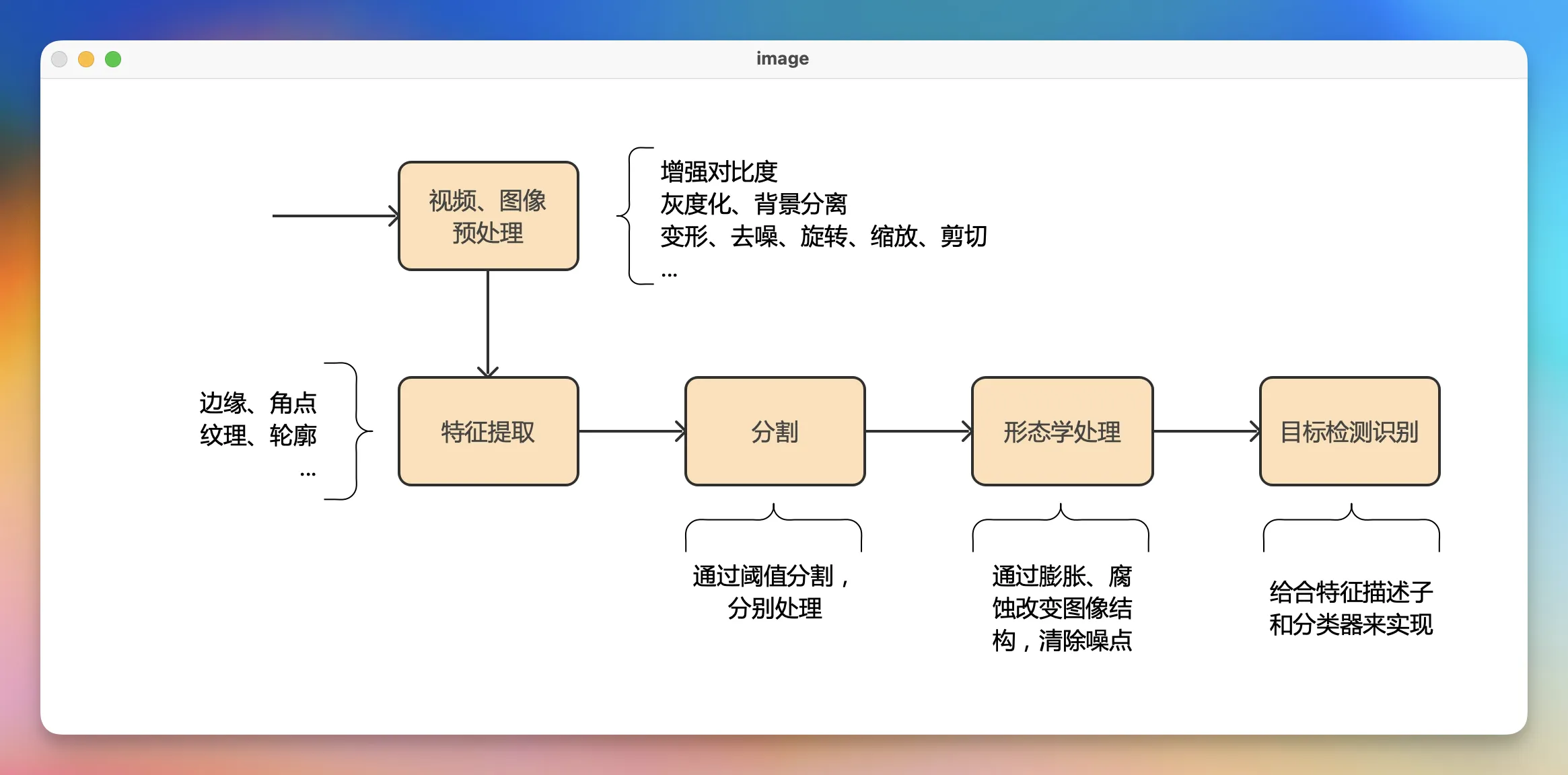
OpenCV 打开图片并显示
OpenCV 的基本使用: 引入 OpenCV 库 : import cv2 调用 OpenCV API 代码示例 # 使用OpenCV打开图片,并显示图片 import cv2 # 读取图片 image = cv2.imread('flow.jpg') # 显示图片 # 第一个参...
1年前
巡检计划巡检状态选项添加颜色
列表页面添加 在 index.vue 中添加,如下的代码 <!-- 巡检计划状态添加颜色显示 --> <template v-if='column.leapKey === 'select' && column.prop === 'inspectionPlanStatus''>...
1年前
Kotlin 函数
函数的声明 // 函数声明 fun functionName(parameter1: Type, parameter2: Type): ReturnType { // 函数体 // 执行逻辑 // (可选)返回值 } 无参无返回值 无参无返回值的函数,如下所示 // 无...
9个月前
observeAsState
observeAsState 是 Jetpack Compose 中用于 将 LiveData 转换为 Compose 可观察状态(State) 的扩展函数。 作用让 LiveData 的变化自动触发Compose UI 重组。 基本用法 // 无默认值 val user b...
8个月前
ROOM Database
Room Database 是 Android 官方提供的本地数据库框架,是 Jetpack 架构组件的一部分,用于在应用中以安全、简洁、高效的方式存储本地数据。它在 SQLite 之上提供了更高层的抽象,让开发者更容易...
8个月前
如何动态更改查询的排序顺序或谓词
要实现动态排序,您需要将@Query属性移至 SwiftUI 层次结构中的视图中 - 您需要将其放入子视图中,在其中可以使用依赖项注入提供排序值。 这意味着创建一个新的 SwiftUI,它使用@Query来显示您...
1年前